A KeepLabs app
MyKeep
Keep the important things.
A private, offline Android app for keeping purchases, receipts, warranties, bills, home items, maintenance, documents and reminders in one searchable place.
Feature tour
How MyKeep works
Five screens from the actual app.
-
01
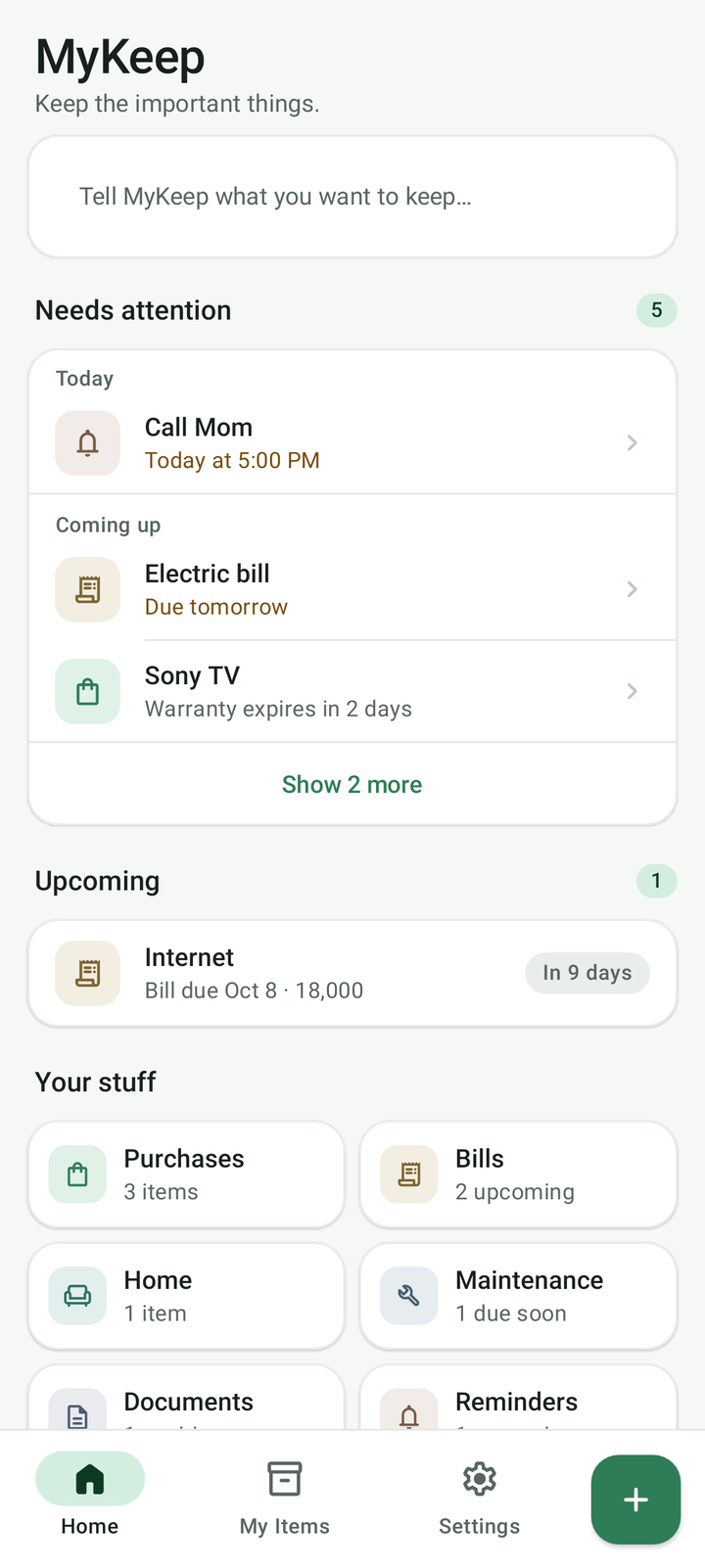
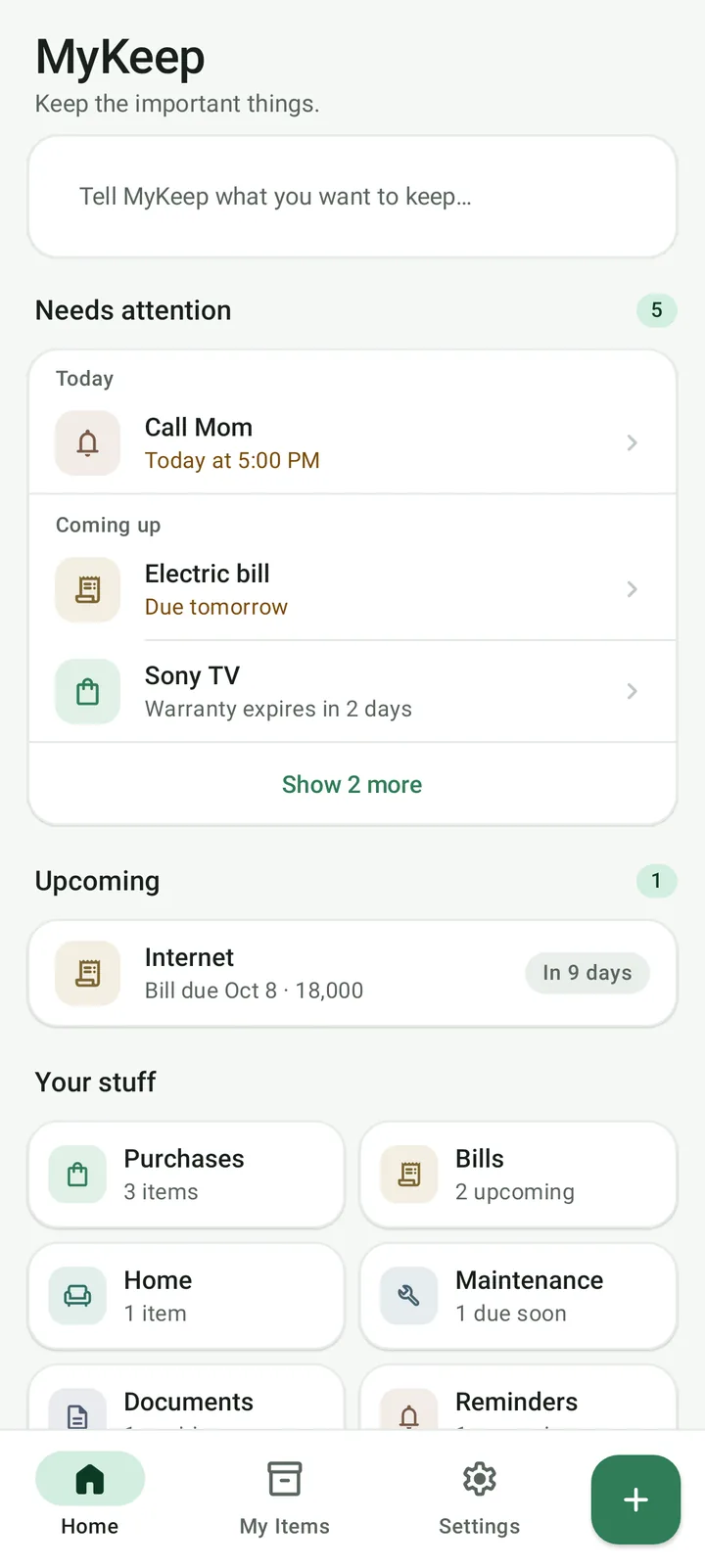
Everything in one place
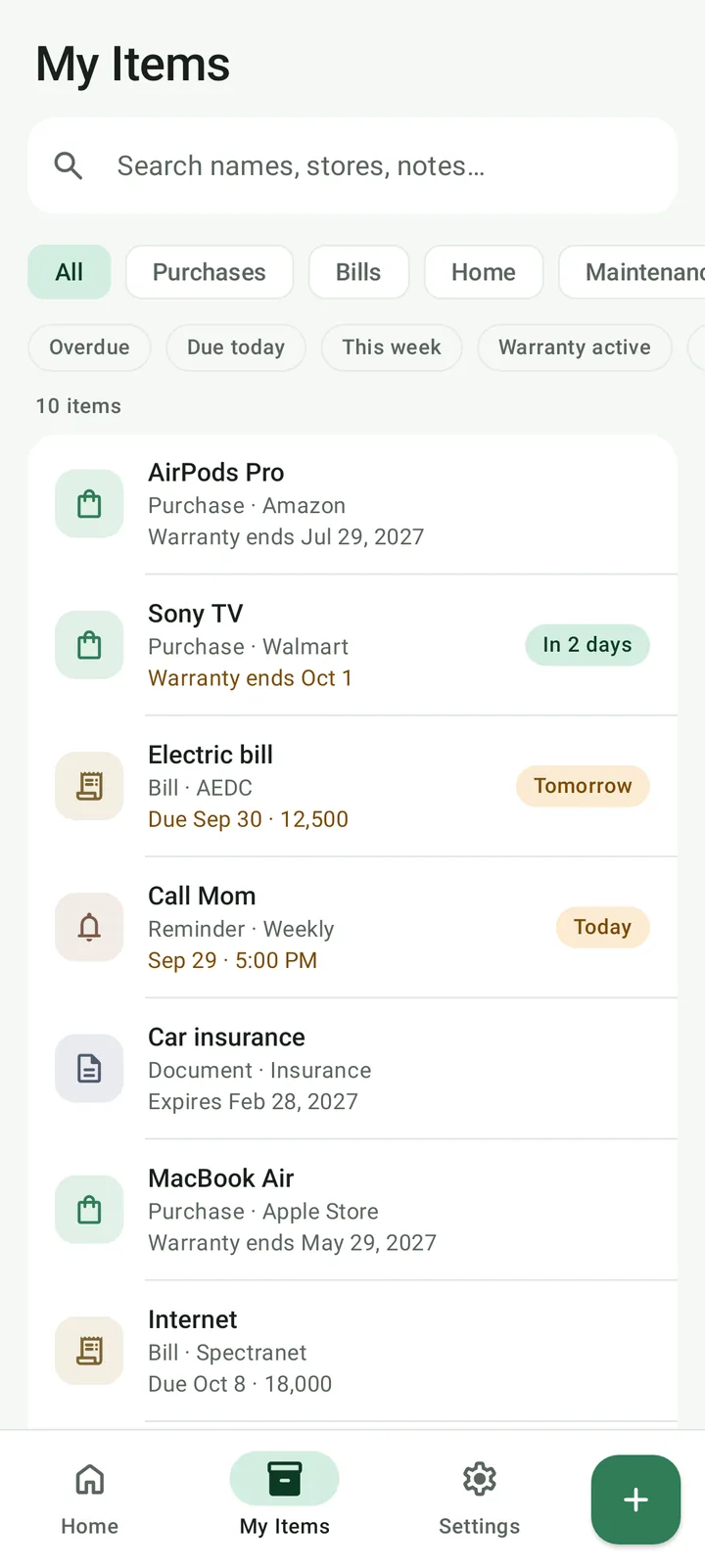
The home screen gathers what needs attention, what is coming up, and what you have kept — grouped by type.
- Six item types: Purchase, Bill, Home item, Maintenance, Document, Reminder
- “Needs attention” groups what is overdue, due today and due soon
- “Upcoming” lists the next dates over the following 30 days
-
02
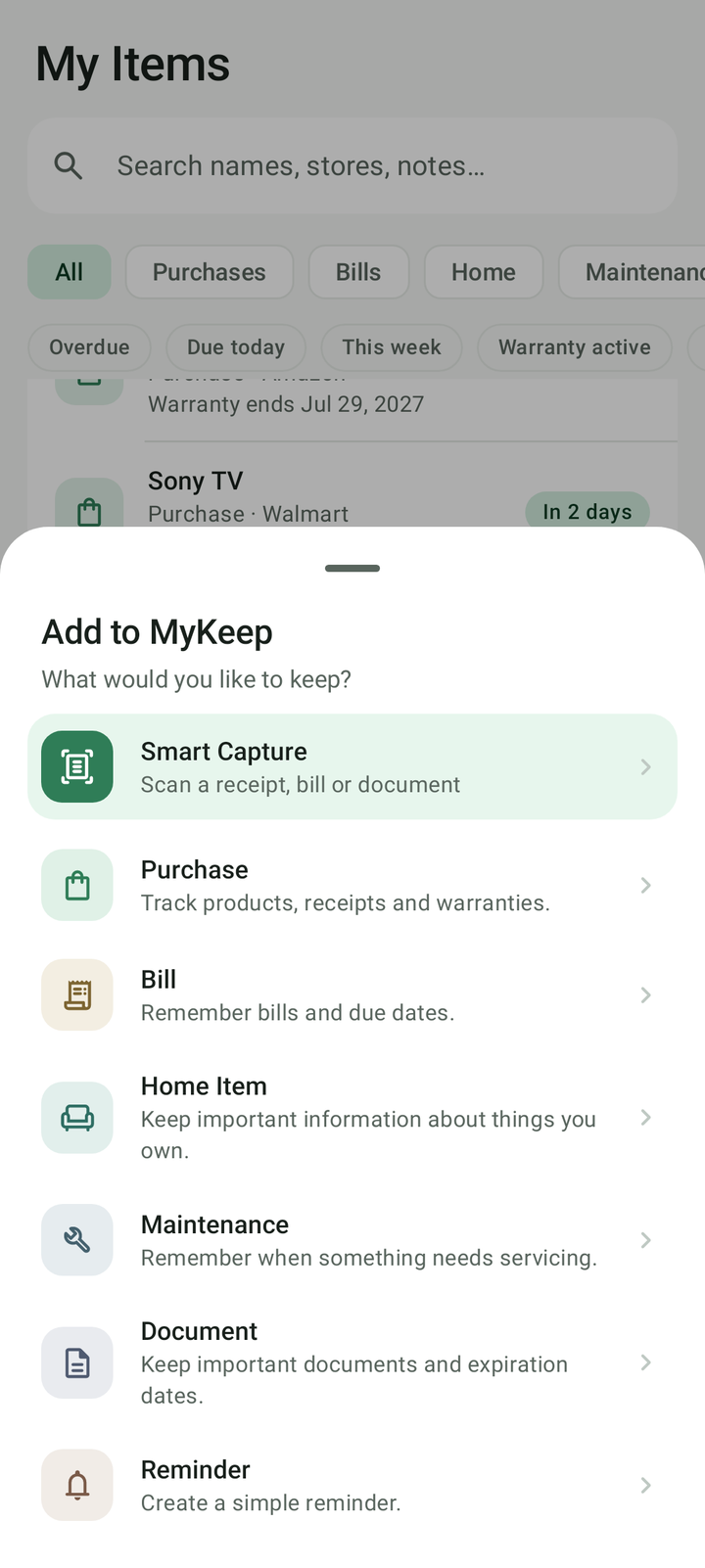
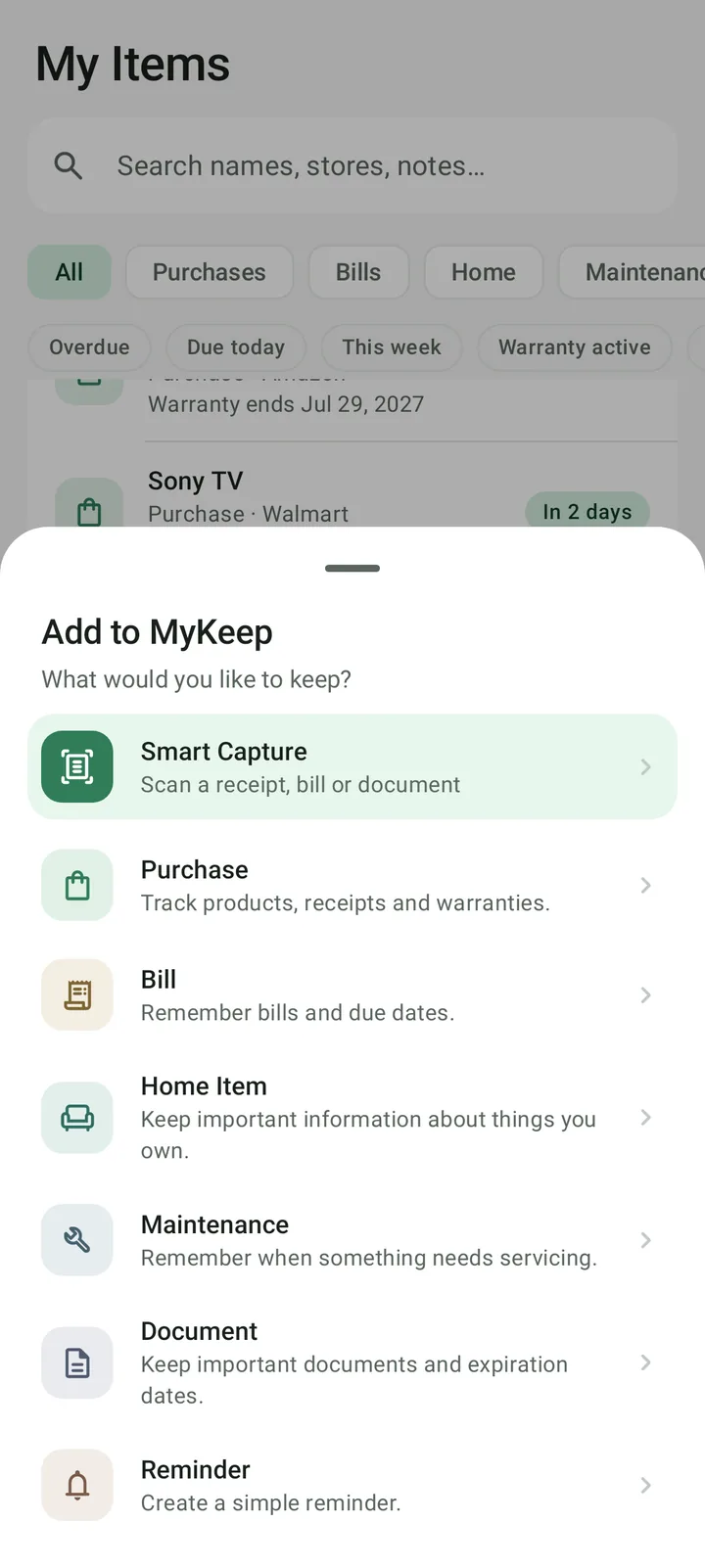
Six kinds of item
Each kind carries the fields that suit it, so a bill and a fridge do not have to share a form.
- Purchase, Bill, Home item, Maintenance, Document, Reminder
- A guided four-step Purchase flow: product, warranty, receipt, review
- Fields for amounts, dates, serial numbers, notes, photos, receipts and voice notes
-
03
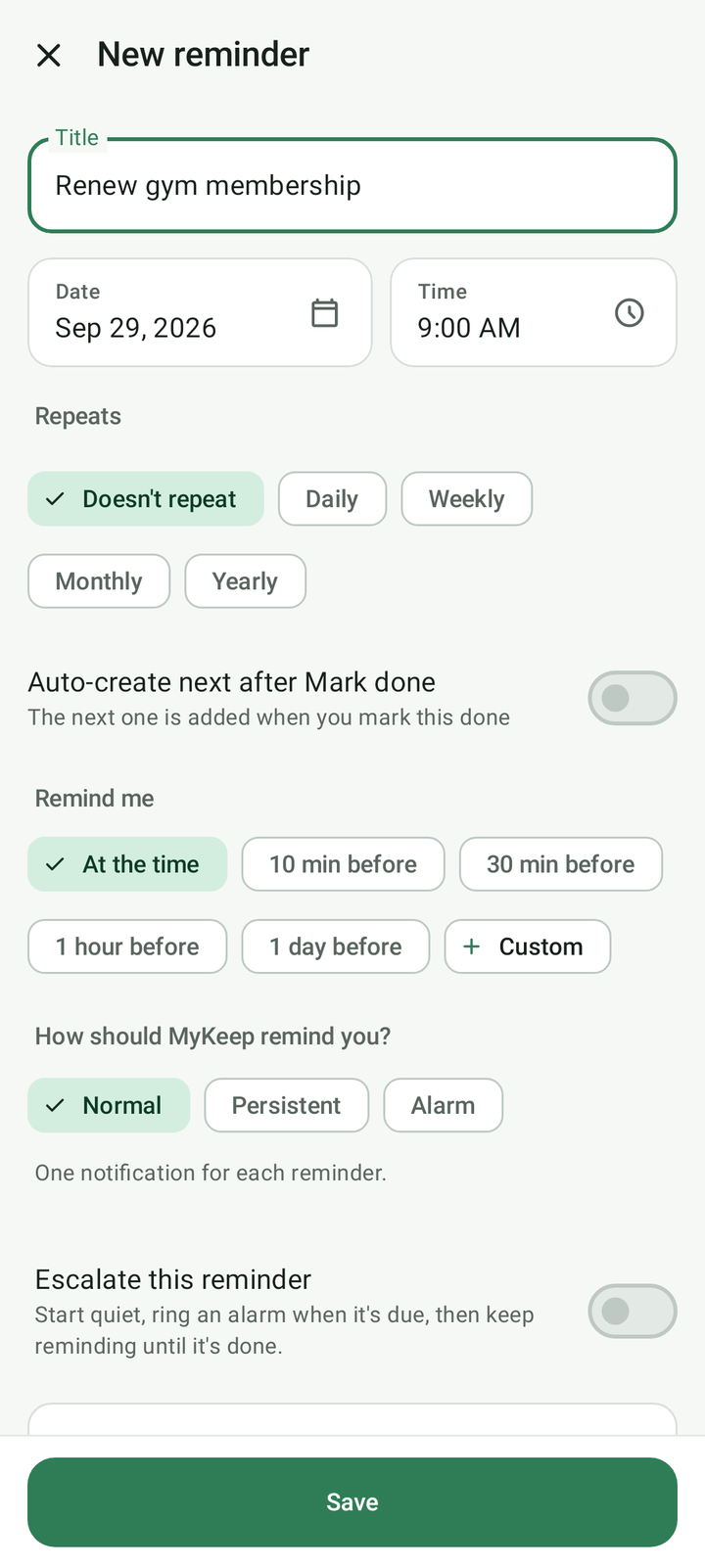
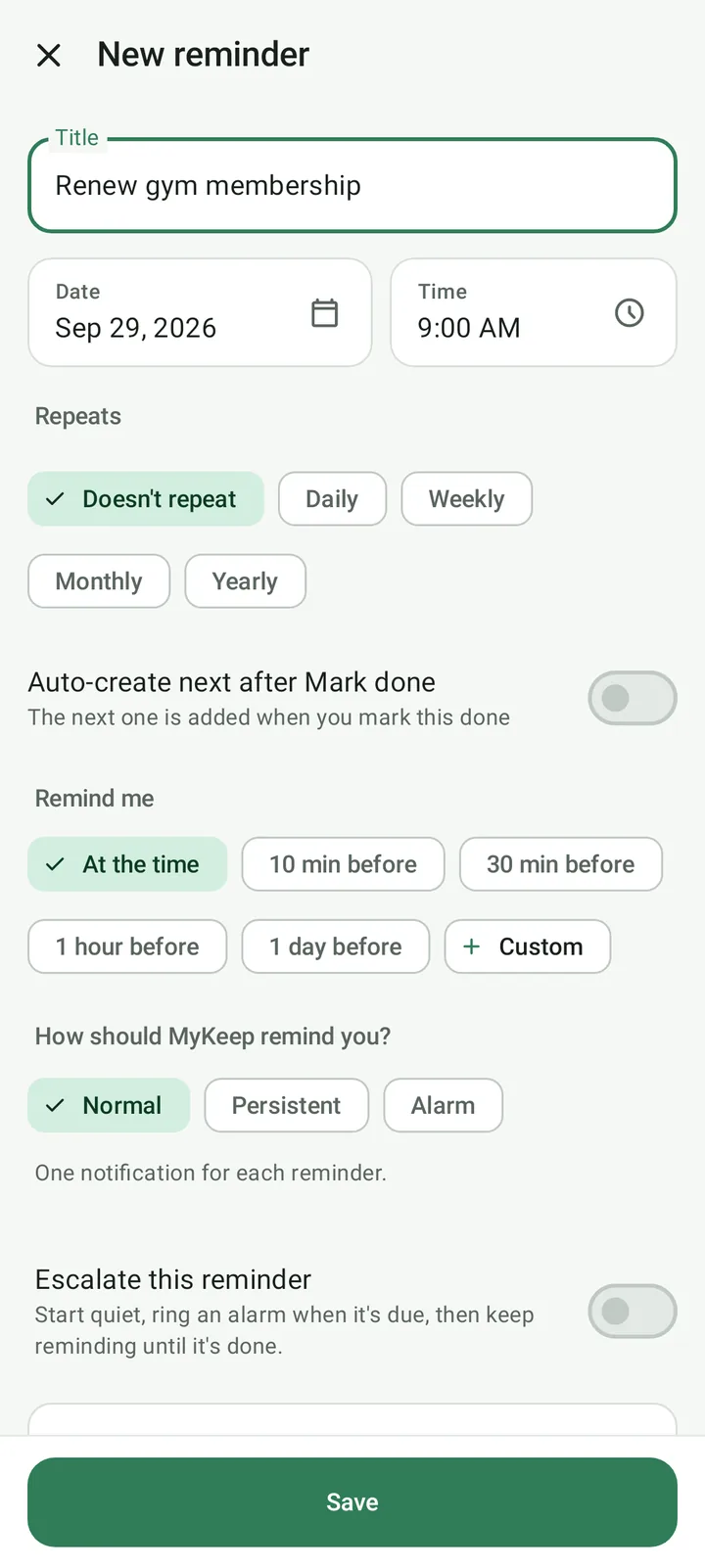
Reminders that fit each item
Every item keeps its own date and its own time, and picks its own alert style.
- Normal, Persistent, or a full-screen Alarm — chosen per item
- 1, 3, 7, 14 or 30 days before, or 10 minutes to 1 day before
- Snooze from the notification; quiet hours from 10pm to 7am
-
04
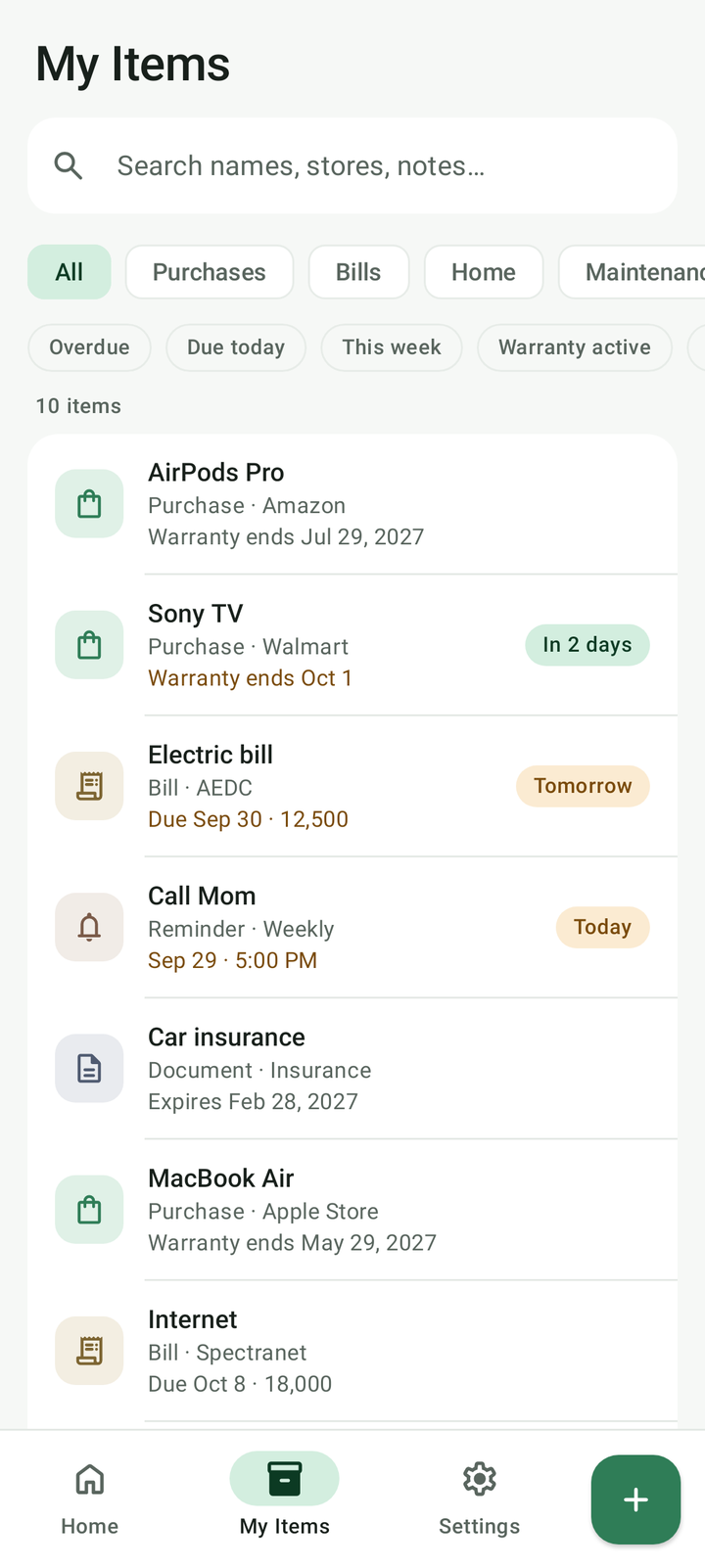
Search and organisation
Find anything across titles, notes, stores and serial numbers, then narrow it down.
- Search across every field
- Filter by item type, by your own categories, or by store
- Smart filters: Overdue, Due today, This week, Active warranties
-
05
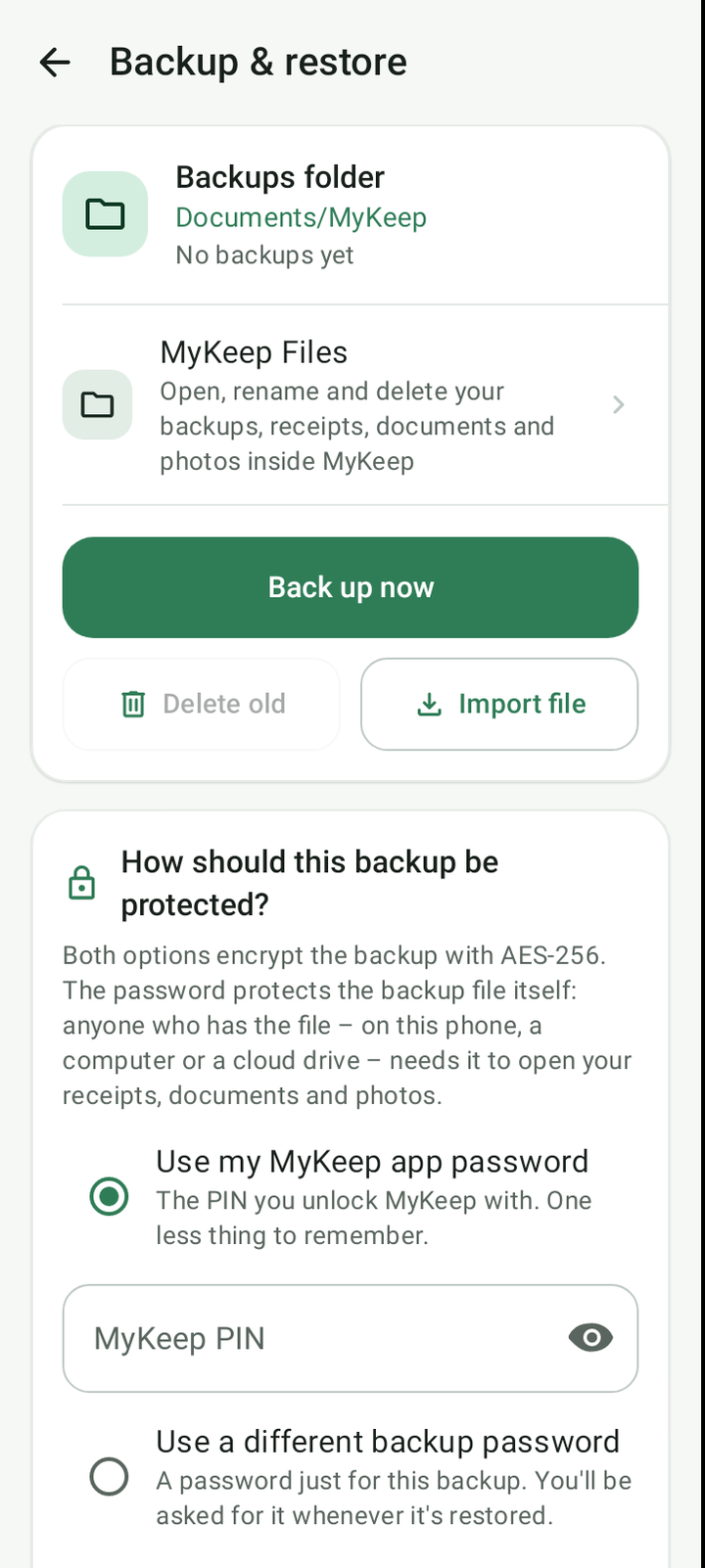
Backup you control
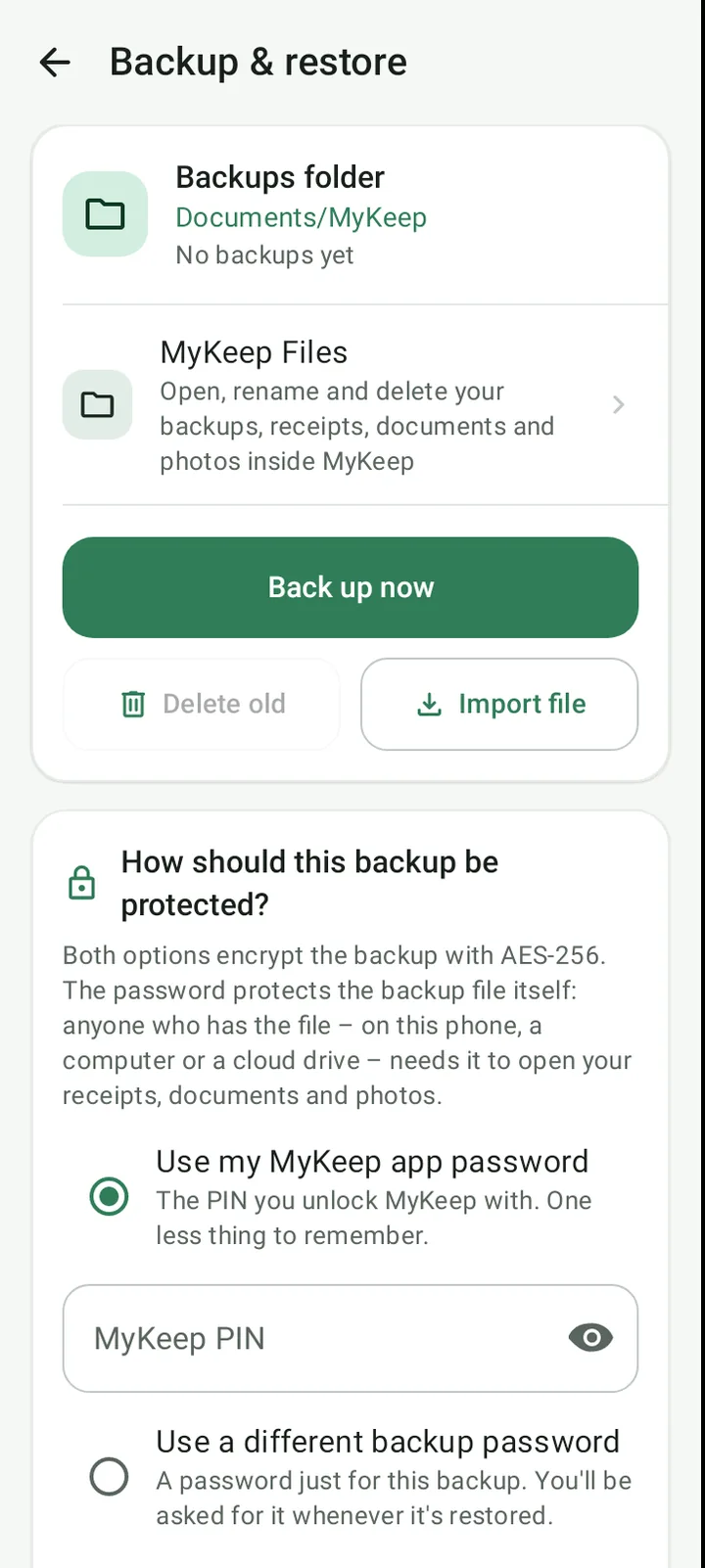
Backups are written to a folder you can see, encrypted with a password you choose.
- Saved to Documents/MyKeep, visible in any file manager
- Encrypted with AES-256 using your MyKeep password or a separate backup password
- Restore is always a deliberate action, and it merges rather than overwrites
See it in 44 seconds
A short walkthrough — the home screen, adding an item, reminders, search, and how backup works. Every screen is MyKeep 1.0.0 itself.
What it does
Grouped into four areas rather than a checklist of everything.
Keeping things
Six item types, each with the fields that suit it. An item can carry its store or provider, amount, purchase date, due date, its own notification time, a repeat, warranty length or end date, reminder lead time, notes, a photo, a multi-page receipt, a voice note, a serial number, support contact details, a website, a location with an optional map pin and an expected lifespan. Maintenance items keep a service log. Warranty claims record what a claim saved. Bills can repeat, be marked paid, and renew into the next one.
Staying reminded
Reminders belong to the item, not to a global setting. Lead times run from 1 to 30 days before, plus quick picks of 10 minutes, 30 minutes, 1 hour or 1 day before for timed items, and an item can carry several reminders at once. Three alert styles are available per item: a single Normal notification, a Persistent nudge that keeps going until you deal with it, and a full-screen Alarm you can snooze or mark done on the lock screen. Escalation can start quietly, raise an alarm on the day, then repeat until done. Reminders are re-planned automatically after a restart, a time change, a timezone change or an app update.
Getting things in
“Just tell MyKeep” takes one plain sentence — “fridge 150k bought at Fouani 2 years warranty” — and turns it into a draft item. It fills in only what the sentence actually said and lists anything it could not find, so nothing is invented, and nothing is saved until you confirm. Smart Capture does the same for a receipt, bill or document: share one from any app or scan it from the Add button, and the text is read on your phone, with every detected field marked for checking before anything is saved.
Warranties, money and reports
A warranty dashboard shows what is active, expiring and expired. Money & stats totals what you own per currency, and a timeline shows twelve months back and twelve forward. “Something broke” walks through one item, states what MyKeep has on file and what it does not, and can log a claim with a follow-up reminder. An insurance and claim report can be previewed and exported as a PDF or CSV made on the phone. Currencies are never mixed or converted.
Privacy and ownership
Your data stays on your device
MyKeep was built so that there is nothing for us to collect.
- No account. No sign-up, no login, no email address, no username.
- No ads. No advertising of any kind.
- No analytics, no tracking, no telemetry, no crash reporting.
- No cloud, no server, no backend. The app does not request the
INTERNETpermission — it is explicitly removed from the build. - Data is stored on the device, in the app's private storage.
- Backups are encrypted, and you choose when one is created, shared or restored.
Backup you control
MyKeep writes backups to Documents/MyKeep — a real folder in
your phone's shared storage that you can open, copy and move with any file manager.
Encrypted, always
Every backup is encrypted with AES-256-GCM, using a key derived with PBKDF2-HMAC-SHA256 at 150,000 iterations. MyKeep will not write an unprotected backup: if no password is available it refuses and says why. Each new backup is read back and verified before it counts as done.
Your choice of password
When you make a backup you are offered your MyKeep password, or a different backup password of your own. The second option is never forced on you, and MyKeep keeps no copy of it. A hint is a reminder only, and MyKeep refuses one that gives the password away.
It survives uninstall
Because Documents/MyKeep is shared storage, uninstalling MyKeep does not
touch your backups there.
Restore is deliberate, and it merges
Reinstalling never imports or restores anything on its own. Restoring is something you start, from Settings, and it merges: items you already have are updated, new ones are added, and nothing is deleted or duplicated.
A forgotten backup password cannot be recovered. There is no reset, no bypass and no back door. This is the trade-off for a backup that no server can open — and it is why MyKeep tells you to keep a copy somewhere safe.
There is no cloud backup. If the phone is lost, the only copy is the one you kept.
Widgets
Four optional Android home-screen widgets are available: Needs attention (2×2), Upcoming (4×2), Quick add (2×2) and One item (4×2). Each has six backgrounds and your own accent colour. They are a convenience, not the point of the app.
App lock
MyKeep can be locked with a 4–6 digit PIN or a longer password, with an optional fingerprint shortcut. Only a salted hash is stored.
Technical information
| Version | 1.0.0 |
|---|---|
| Minimum Android | Android 8.0 (Oreo), API 26 |
| Targets | Android 15, API 35 |
| Application ID | com.keeplabs.mykeep |
| APK size | 3.31 MB |
| Languages | English, Français, Español, Português, Deutsch, العربية — or follow the phone |
| Accounts | None |
| Network access | None — the INTERNET permission is not requested |